Introduction
Automated testing is today a mandatory topic in software development. It allows us to begin crafting the shape of software under construction. It provides confidence on changes applied and refactoring made. Also improves testability of applications. Multiple frameworks exists to execute unit testing in different development tools.
Those frameworks have common elements like the definition of a test, test cases and mechanisms to define a structured testing. Particularly, I’ll be using NUnit as the framework to execute unit testing in this post.
1. Development Tools used in this post
As I’ve said, different frameworks of unit testing exists for executing the tests. The following tools I’ll be using in this post:
- Visual Studio 2019 Community
- NUnit 3
- NUnit3TestAdapter
2. Creating the Project
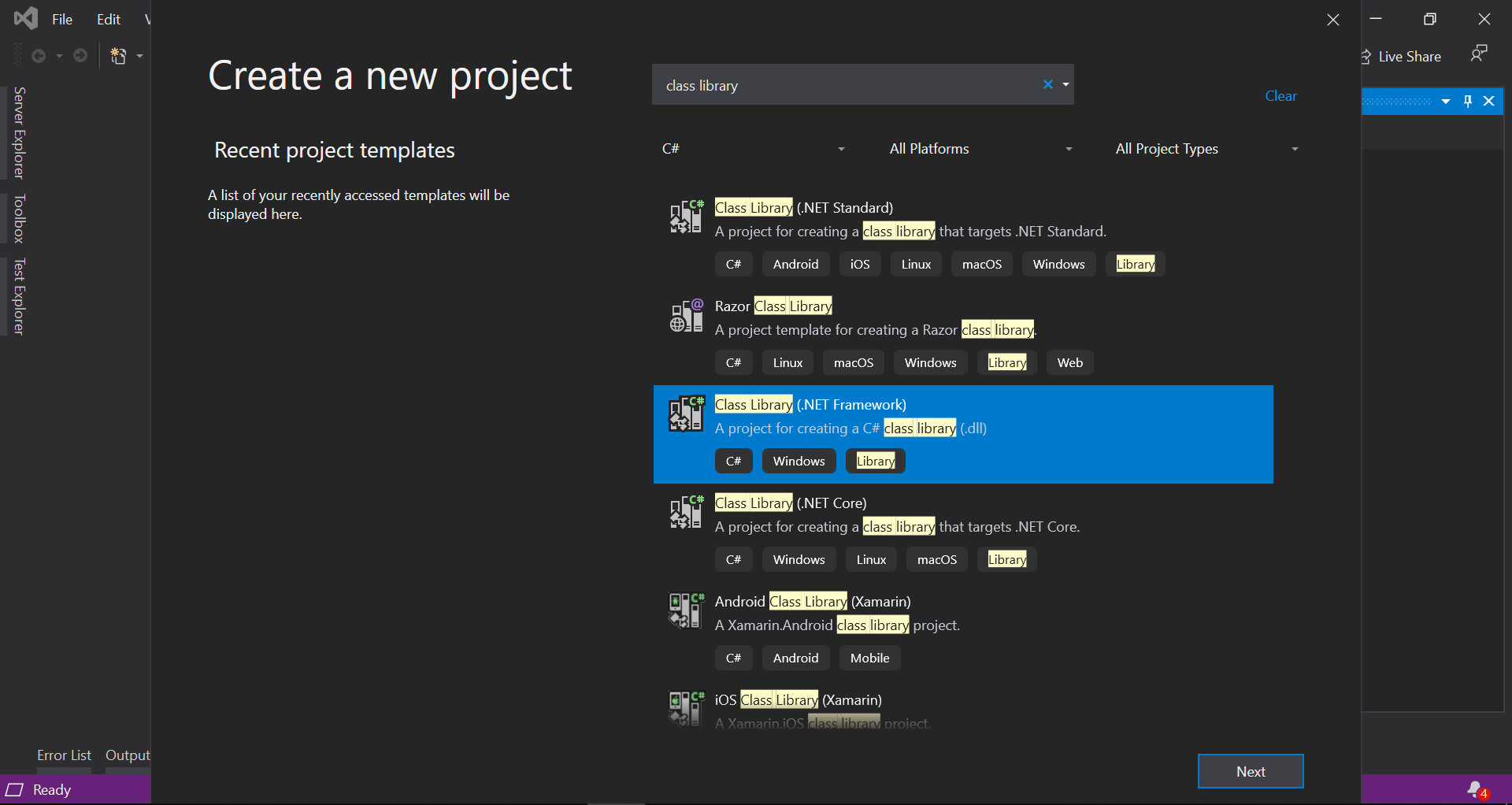
First of all, open Visual Studio 2019 Community and search for Class Library type of project. In this case I’ll be using Class Library (.NET Framework) type of project.
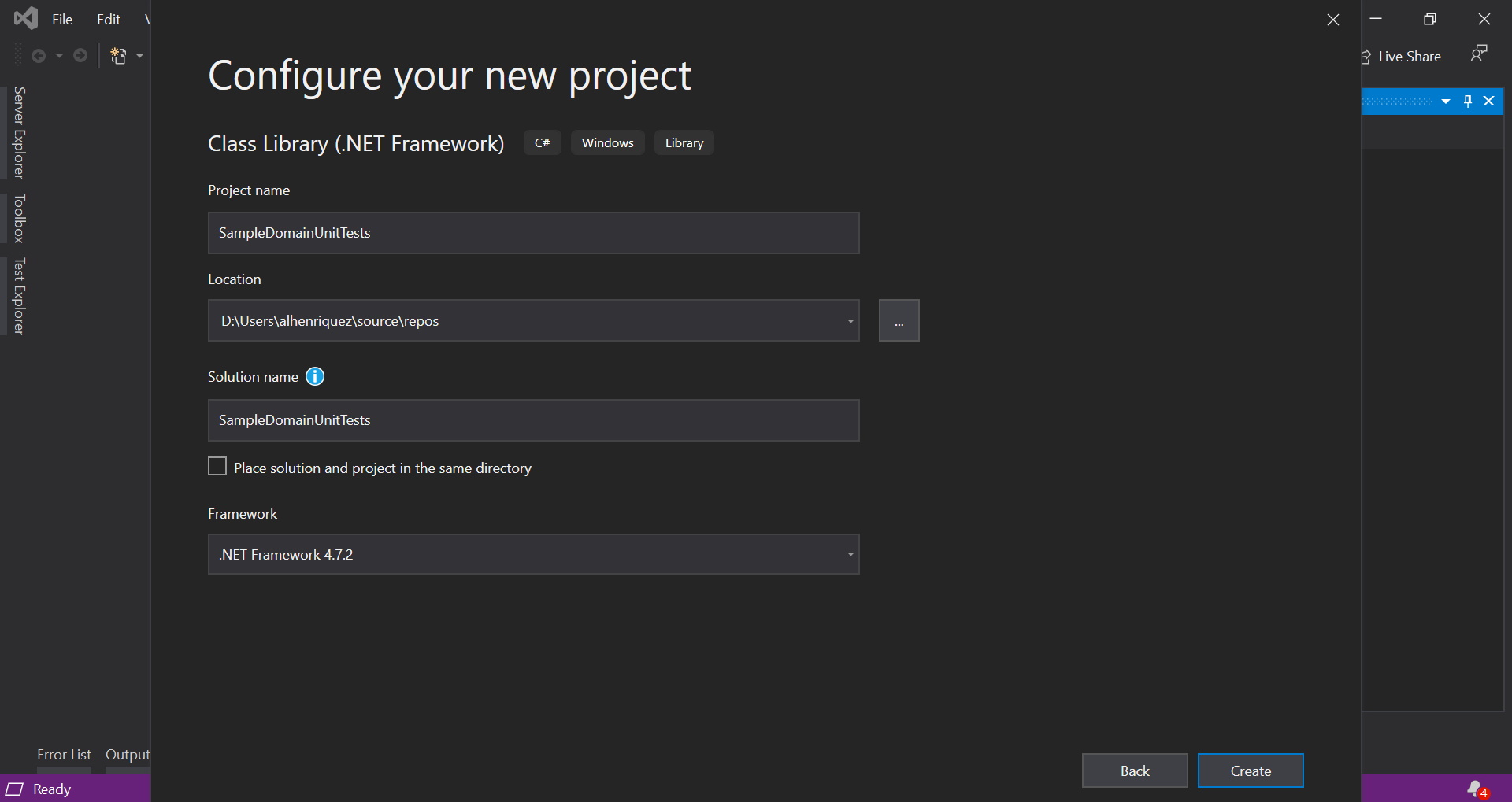
Click “Next” and give it a name. In this case, the name I gave to the project was SampleDomainUnitTests. Leave other options by default. Hit “Create” and Visual Studio will create the project and solution for you.
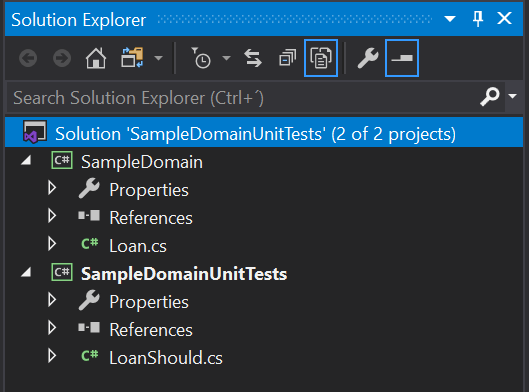
Let’s add another Class Library (.NET Framework) type of project, representing the domain that will be tested. I call this project SampleDomain. You will end with two projects of type Class Library (.NET Framework).

The sample domain that we’ll be unit testing is that of loan. Especifically, we’ll be simulating the loan to get the monthly payment. So let’s start with creating a class named Loan in the SampleDomain project. For convention, let’s add a class named LoanShould in the SampleDomainUnitTests project.
Now let’s add the NUnit NuGet package to SampleDomainUnitTests project. Also we’ll be adding NUnit3TestAdapter in order to run tests in Visual Studio.

3. Testing the Class Method
Now we have to declare a method in LoanShould class. By convention it must be a phrase in english following the name of the class, particularly the “should” part. This method has to have as parameters the ones that will be used in the method of the Loan class, which it’s being designed now. This is the core of TDD, where the tests guide the design and you have to think in the best design for the method to be unit tested. In this case the parameters are the neccesary to calculate the monthly payment. Unit testing has three parts:
- Arrange: where initialization occurs.
- Act: where execution of system under test occurs.
- Assert: where assertions are verified.
Also we have to decorate the LoanShould class with the TestFixture attribute of NUnit, as well as the method with the Test and TestCase attribute. The TestCase attributes allows us to pass arguments to the parameters of the test method. You can add more test cases by simply adding another decoration with the TestCase attribute and especifying the arguments. The code is as follows (note that “sut” is for system under test and that the actual monthly payment is rounded so it matches the digits of expected monthly payment):
[TestFixture]
public class LoanShould
{
    [Test]
    [TestCase(30, 6, 100000, 599.55)]
    public void CalculateMonthlyPayment(
        int yearsForPayments,
        double interestRate,
        int loanAmount,
        double expectedMonthlyPayment)
    {
        // Arrange
        Loan sut = new Loan();
        // Act
        double actualMonthlyPayment = sut.CalculateMonthlyPayment(
            yearsForPayments,
            interestRate,
            loanAmount);
        // Assert
        Assert.AreEqual(expectedMonthlyPayment, Math.Round(actualMonthlyPayment, 2));
    }
}
Now it’s time to implement the designed code. In this case the method Loan::CalculateMonthlyPayment. Following TDD, we have to implement a basic version of the method in order to allow the test to fail. Then we refactor and the test will pass.
public class Loan
{
    public double CalculateMonthlyPayment(
        int yearsForPayments,
        double interestRate,
        int loanAmount)
    {
        return 0;
    }
}
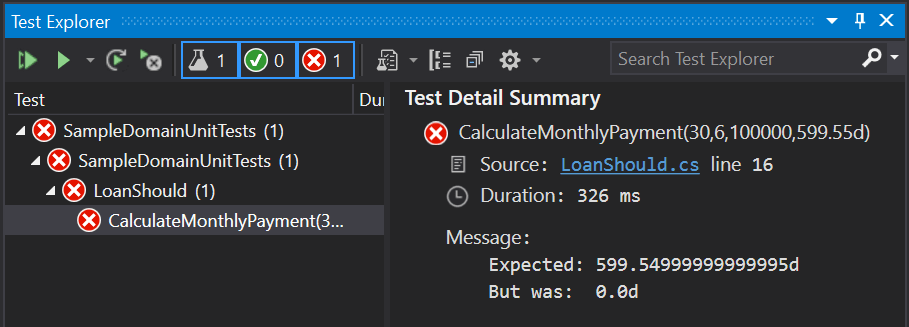
The refactored method looks like the following:
public class Loan
{
    public double CalculateMonthlyPayment(
        int yearsForPayments,
        double interestRate,
        int loanAmount)
    {
        int monthsForPayments = yearsForPayments * 12;
        double interestRateAsNumber = interestRate / 100;
        double periodicInterestRate = interestRateAsNumber / 12;
        double x = Math.Pow((1 + periodicInterestRate), monthsForPayments);
        double discountFactor = (x - 1) / (periodicInterestRate * x);
        double monthlyPayment = loanAmount / discountFactor;
        return monthlyPayment;
    }
}
And the result of the test is that is passing

Solution with source code files:
Conclusions
Unit testing is very useful to produce very good design in domain classes and in general. They allow us to improve testability and modifiability with the confidence that our changes are not impacting negatively the system. Also, with the time, we accumulate tests so regression testing is easily generated.
Your comments are important so we can share knowledge, ideas and thoughts about unit testing.
 Magister's Expression